
How To Play Cashless With The STN Mobile App
Open The App
Log into the application with your password, Face ID or Touch ID
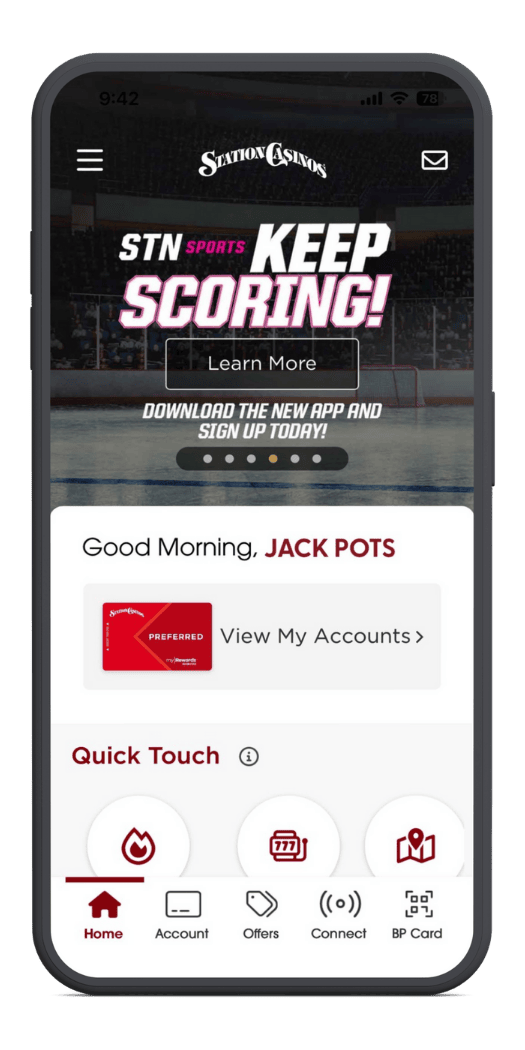
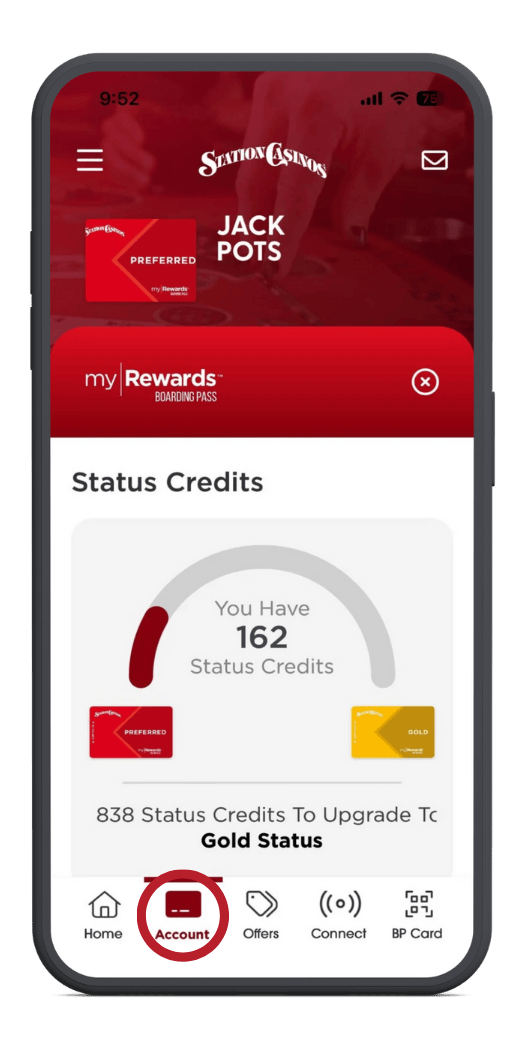
Tap On Account
From the bottom menu bar
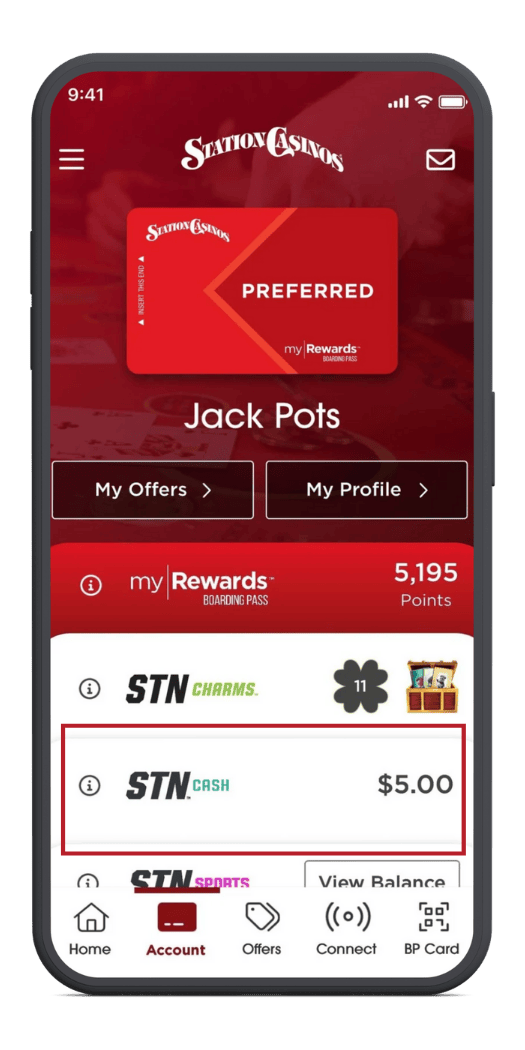
Tap On STN Cash
To view your current wallet balance
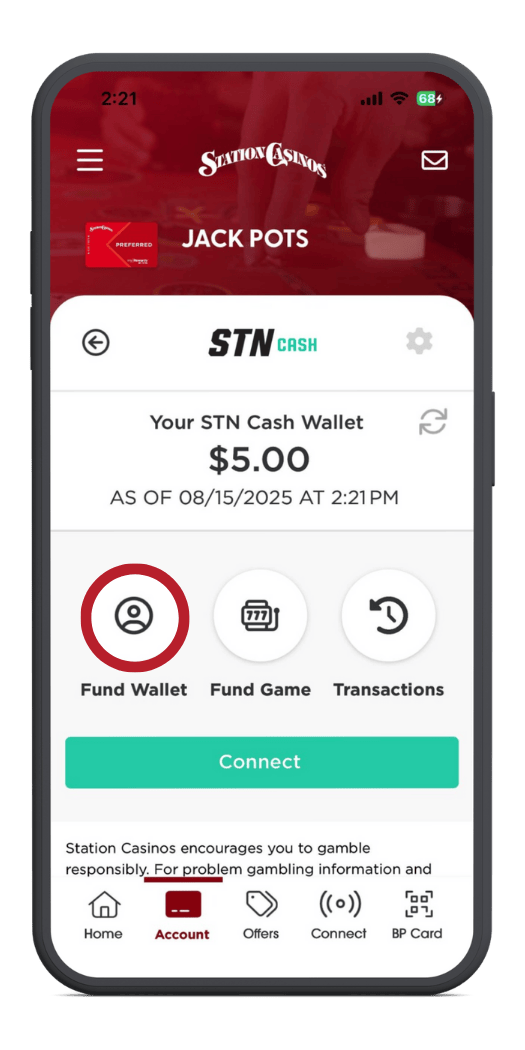
Tap Fund Wallet
To top off your balance. Follow the directions to make a deposit
Connect To Your Favorite Game
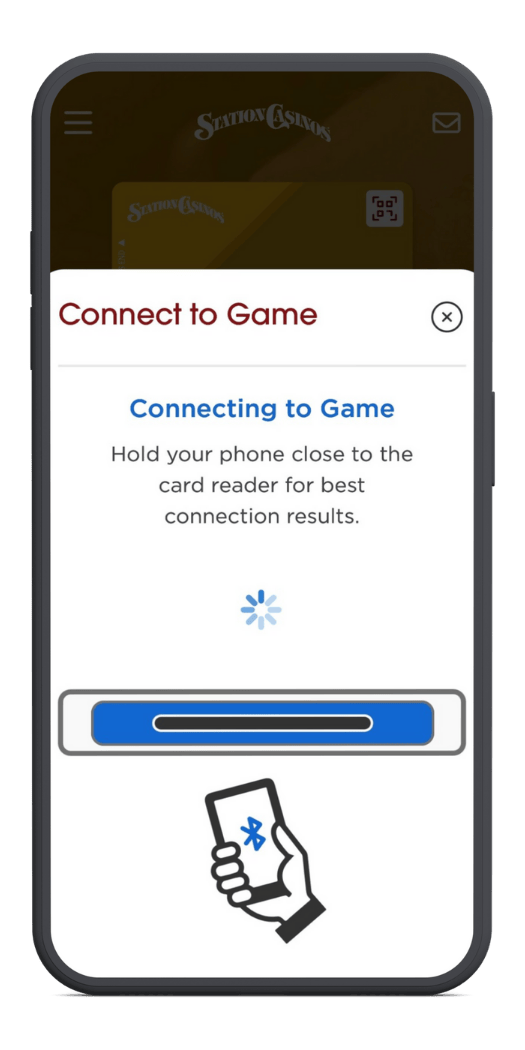
Tap on connect on the bottom menu bar and hold your phone close to the machine
New Cashless Slots
Our new Cashless Slots feature offers a quick and convenient way to fund your favorite game directly from your STN Mobile wallet. This new funding method is live today at Green Valley and will be launching across the rest of our properties shortly!
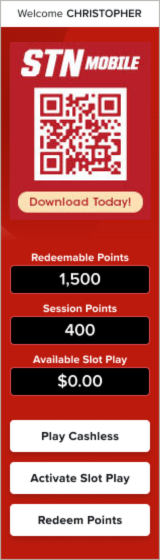
Choose “Play Cashless”
Once Carded in on the slot machine
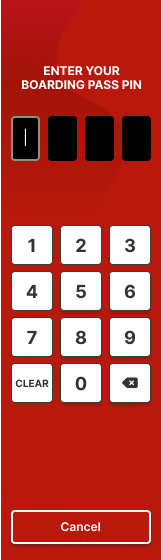
Enter Your Boarding Pass Pin
Enter your four (4) digit boarding pass pin
An OTP Message Is Sent
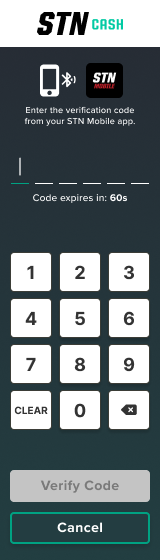
Your OTP Code will be sent to your STN Mobile Application
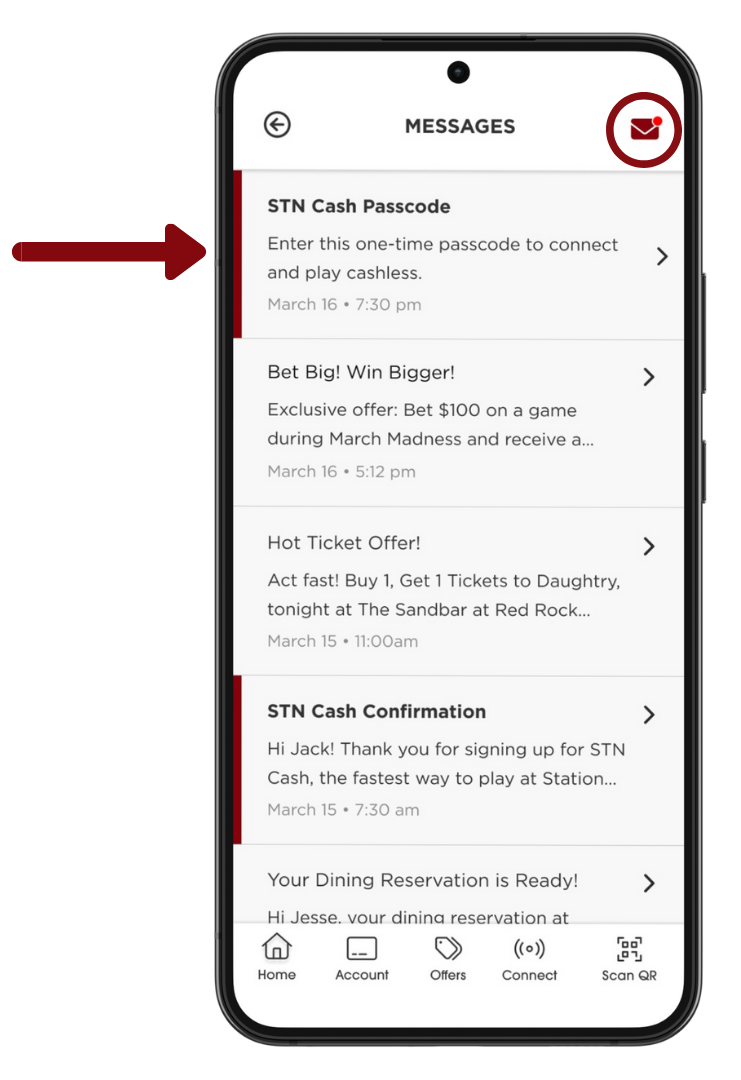
Open STN Mobile
Open the STN Mobile Application and check your notifications. Tap on the message that says. “Connect to Machine” notification to view your OTP Code
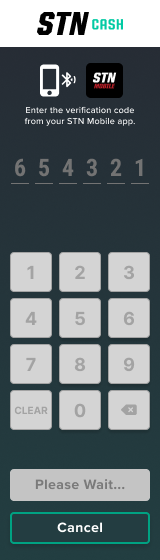
Enter Your OTP Code
Enter the OTP Code from the STN Mobile application
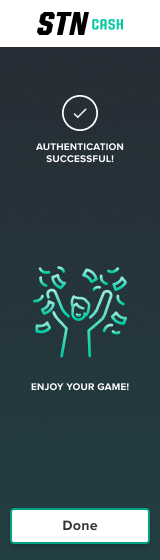
Authentication Confirmation
You will see a confirmation screen showing that the authentication was successful.
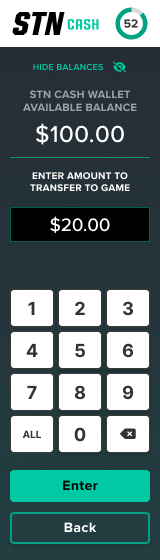
Transfer Funds
Here you can view your STN Cash balance and enter the amount to transfer to the game.
New Cashless Slots
Our new Cashless Slots feature offers a quick and convenient way to fund your favorite game directly from your STN Mobile wallet. This new funding method is live today at Green Valley and will be launching across the rest of our properties shortly!
Choose “Play Cashless”
Once Carded in on the slot machine
Enter Your Boarding Pass Pin
Enter your four (4) digit boarding pass pin
An OTP Message Is Sent
Your OTP Code will be sent to your STN Mobile Application
Open STN Mobile
Open the STN Mobile Application and check your notifications. Tap on the message that says. “Connect to Machine” notification to view your OTP Code
Enter Your OTP Code
Enter the OTP Code from the STN Mobile application
Authentication Confirmation
You will see a confirmation screen showing that the authentication was successful.
Transfer Funds
Here you can view your STN Cash balance and enter the amount to transfer to the game.
Open The App
Log into the application with your password, Face ID or Touch ID
Tap On Account
From the bottom menu bar
Tap On STN Cash
To view your current wallet balance
Tap Fund Wallet
To top off your balance. Follow the directions to make a deposit
Connect To Your Favorite Game
Tap on connect on the bottom menu bar and hold your phone close to the machine