
How To Find Your Favorite Slot Machine With The STN Mobile App
Open The App
Log into the application with your password, Face ID or Touch ID
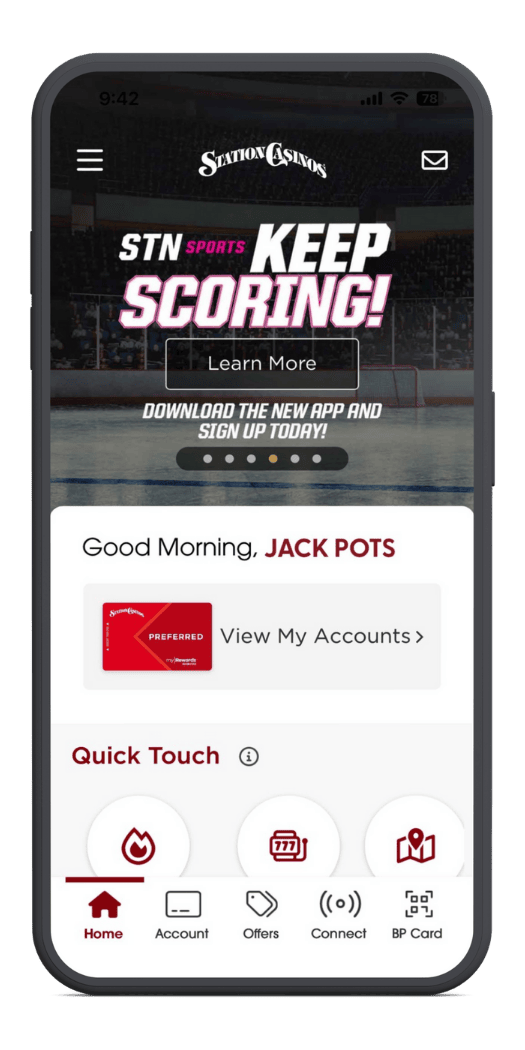
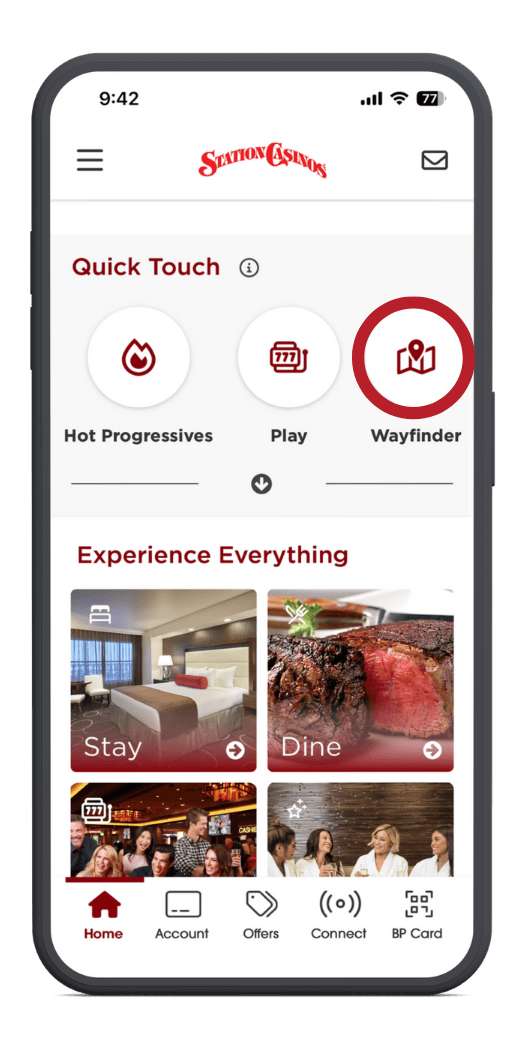
Tap On The Wayfinder
Tap on the wayfinder inside the quick touch menu
Select A Station Casinos Location
Tap on the dropdown to select a location
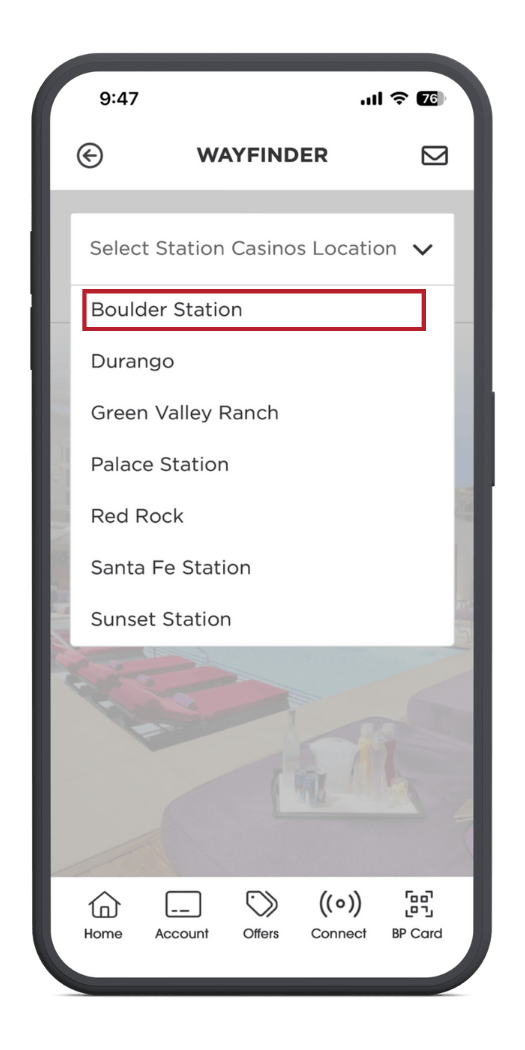
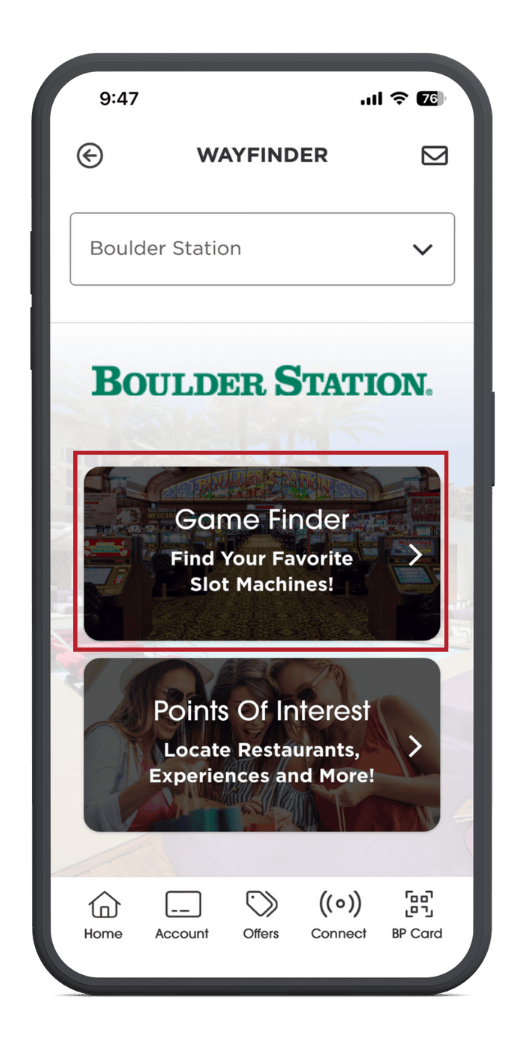
Tap On The Game Finder
Tap the game finder option to search for your favorite game
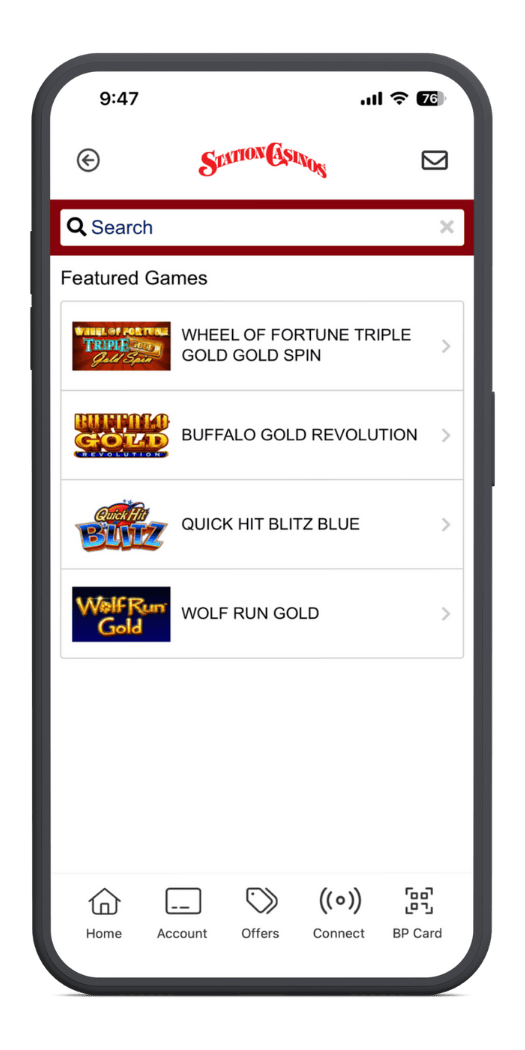
Search For Your Favorite Game
Browse our featured games or search for your favorite machine
Select The Game You Want To Find
Choose the game from the dropdown
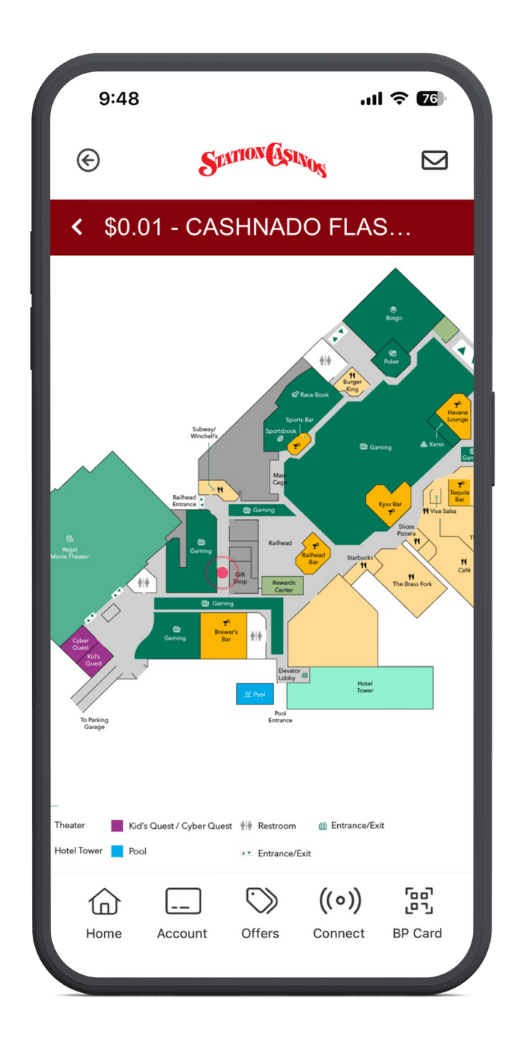
Locate Your Game
Your game will be displayed on the provided map
Open The App
Log into the application with your password, Face ID or Touch ID
Tap On The Wayfinder
Tap on the wayfinder inside the quick touch menu
Select A Station Casinos Location
Tap on the dropdown to select a location
Tap On The Game Finder
Tap the game finder option to search for your favorite game
Search For Your Favorite Game
Browse our featured games or search for your favorite machine
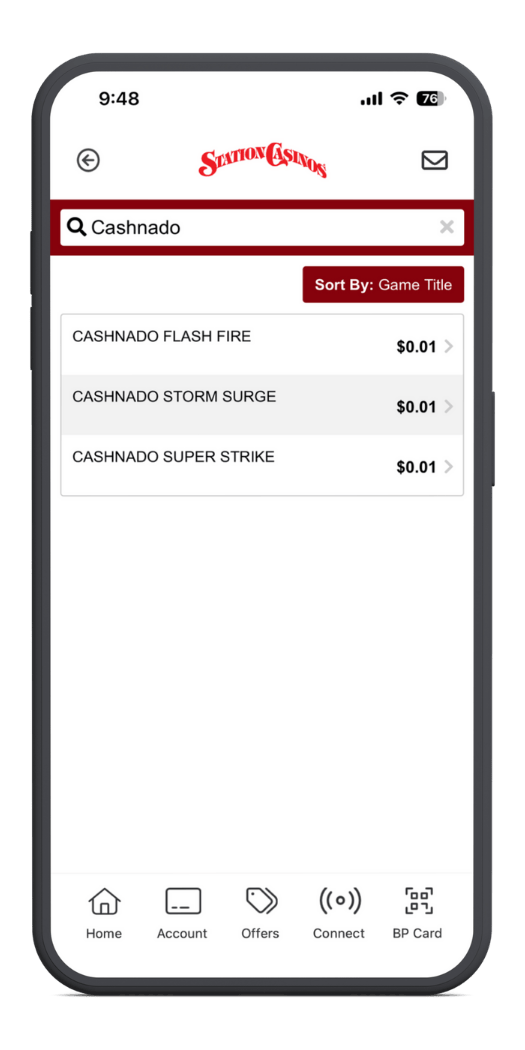
Select The Game You Want To Find
Choose the game from the dropdown
Locate Your Game
Your game will be displayed on the provided map